Horror Movie Still AI Image Prompt – Cinematic Psychological Horror Scene Transformation
Transform any real-life photo into a terrifying cinematic horror movie still using this ultra-realistic Gemini AI image prompt. Preserve the subject’s exact face, hairstyle, clothing, pose, and realistic photographic quality while placing them into atmospheric horror settings like abandoned asylums, haunted Victorian houses, dark forests, flooded basements, or eerie hospital corridors. Perfect for psychological horror aesthetics, supernatural thriller visuals, creepy cinematic portraits, horror film screenshots, and dark AI photo manipulations.
GEMINI horror
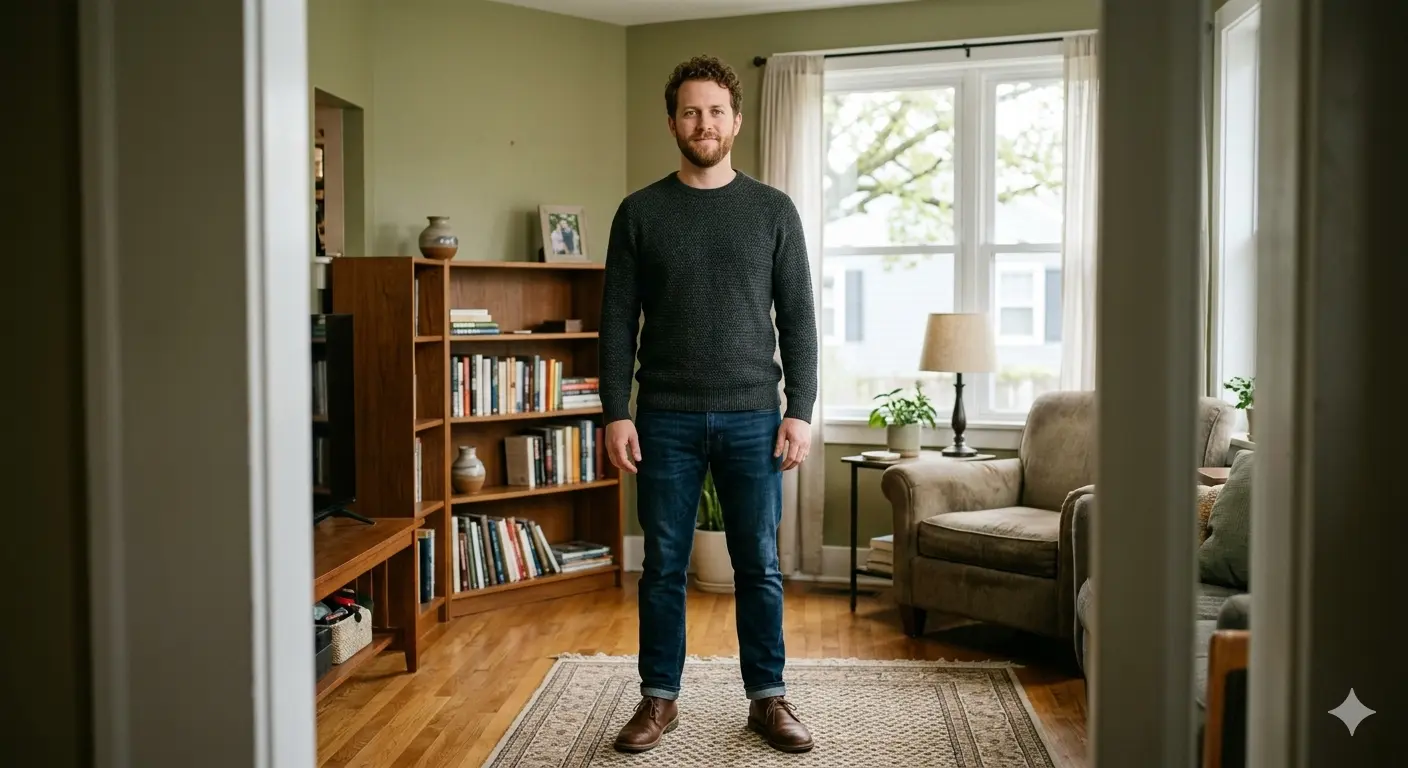
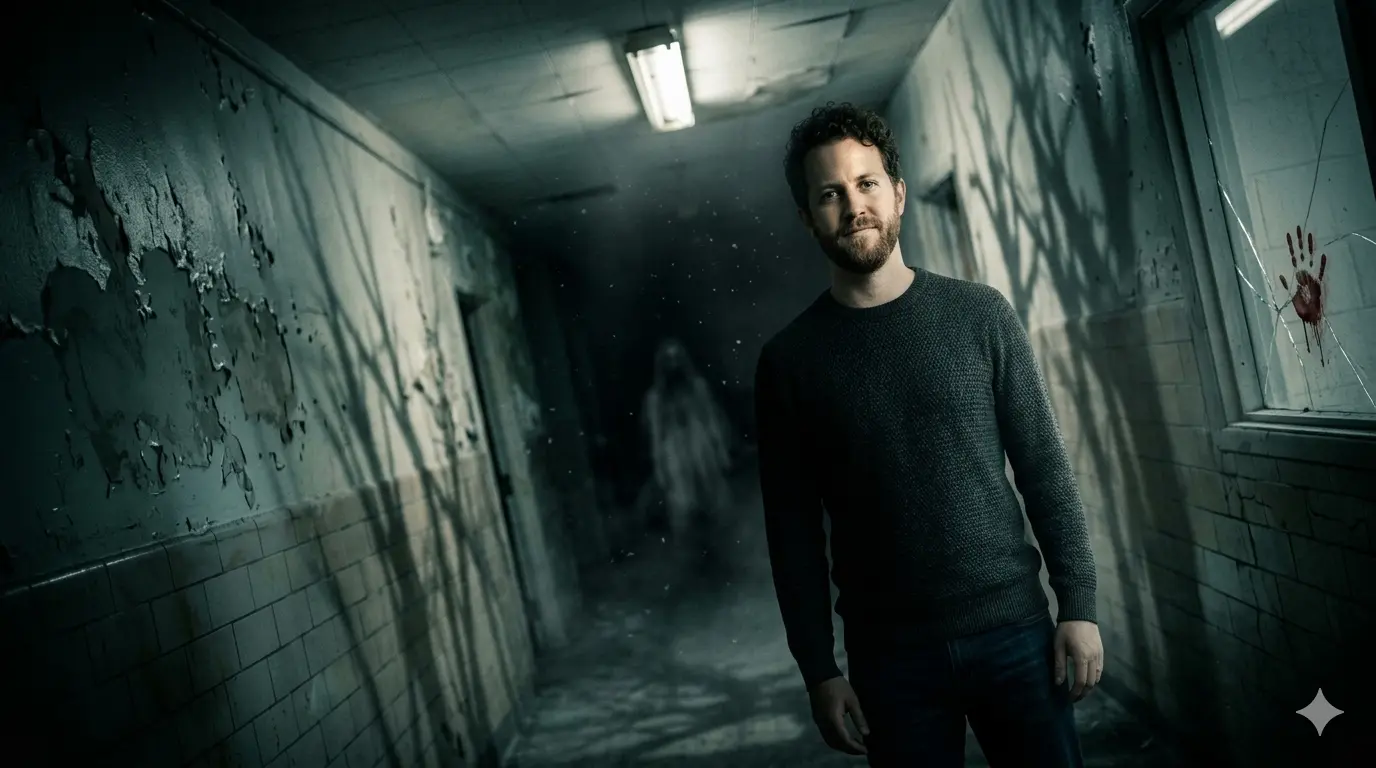
Before & After Comparison
Original Input
AI-Generated Output
Full Prompt
Take this uploaded photograph of any person and transform it into a cinematic horror movie still — a single frame from a terrifying, atmospheric horror film. Preserve the person's real, unmodified face (no cartoon, no illustration, no chibi — pure realistic photographic quality). Preserve their exact facial features (eye shape, eye color, skin texture, freckles, scars, moles, facial hair), exact hairstyle and color, and exact clothing and accessories from the original photo. Do not add any costume or mask unless requested. The horror must come from lighting, setting, and atmosphere — not from altering the person.

Background and setting (choose one or combine): An abandoned asylum with peeling paint and flickering fluorescent lights; a dark forest at midnight with fog and bare twisted trees; an old Victorian house with cobwebs and creaking floorboards; a flooded basement with murky water and a single bare bulb; a hospital corridor with gurneys and emergency exit sign flickering. Default to abandoned asylum hallway if user does not specify. The person is placed inside this environment, standing, walking, or hiding.

Lighting and color grading: Extremely dark, moody lighting with deep shadows. Use single-source lighting — a flashlight, a cracked door light, moonlight through a window, or a dying lamp. Person's face should be partially illuminated (chiaroscuro effect), with the rest of their body fading into darkness. Color palette: desaturated blues, cold grays, muted greens, or sepia with occasional blood-red accents. Add subtle fog or dust particles in the air. Shadows should be long and distorted.

Horror atmosphere elements (optional but recommended): A faint ghostly figure in the distant background (blurred, barely visible), a handprint on a wall or window, cracked mirror reflection showing something wrong, cobwebs on the person's shoulder, or a crooked picture frame on the wall behind them. The person's expression from the original photo should be preserved — if originally smiling, it becomes unnerving in this context; if neutral, it becomes eerie. Add a slight grain or film noise to mimic 1970s–80s horror film stock.

Composition and camera effects: Slightly Dutch angle (tilted) or extreme low-angle shot looking up at the person. Vignette (darkened edges) to focus attention on the person's face. Shallow depth of field — background blurred but menacing. The final image must look like a real screenshot from a psychological horror or supernatural thriller film. Output: 300 DPI, 16:9 or 4:3 aspect ratio, realistic photo style, no text, no watermarks, no comedic elements. Execute now.
Related Tags
#horror movie ai prompt
#cinematic horror scene
#psychological horror edit
#gemini ai image prompt
#realistic horror photo
#haunted asylum ai
#supernatural thriller image
#dark cinematic portrait
#horror film screenshot
#abandoned hospital horror
#moody horror lighting
#eerie atmosphere ai
#realistic scary photo
#horror movie still
#film grain horror aesthetic
#creepy cinematic ai
#haunted house ai art
#photorealistic horror transformation
#dark thriller photo edit
#atmospheric horror photography