Renaissance Oil Painting AI Image Prompt – Old Master Portrait Transformation
Transform any real-life portrait into a timeless Renaissance oil painting using this ultra-detailed Gemini AI image prompt. Preserve the subject’s exact face, hairstyle, clothing, skin texture, and identity while recreating the image in the style of legendary Old Masters like Rembrandt, Leonardo da Vinci, Titian, or Caravaggio. Perfect for classical portrait transformations, museum-style artwork, Baroque aesthetics, historical painting effects, and realistic AI-generated oil paintings with authentic brush textures and chiaroscuro lighting.
GEMINI painting
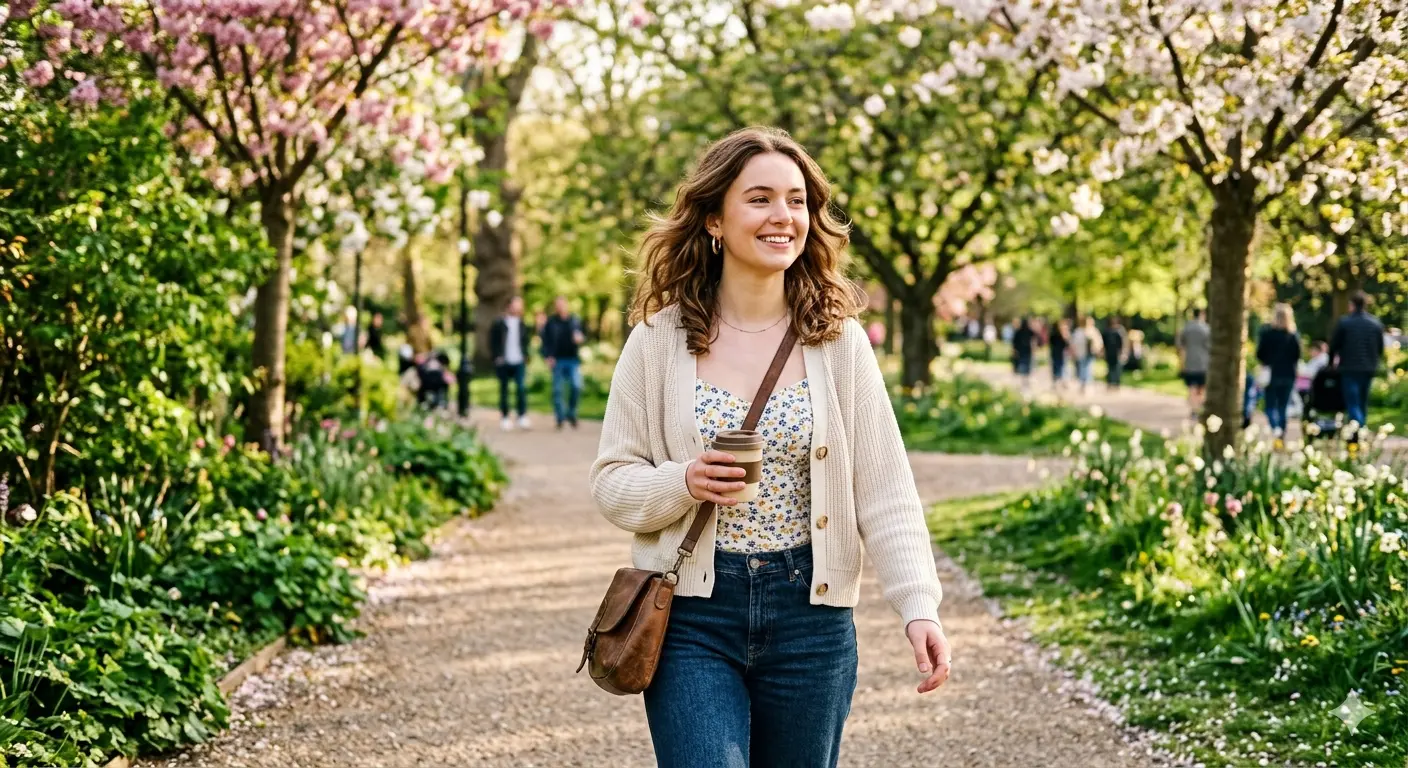
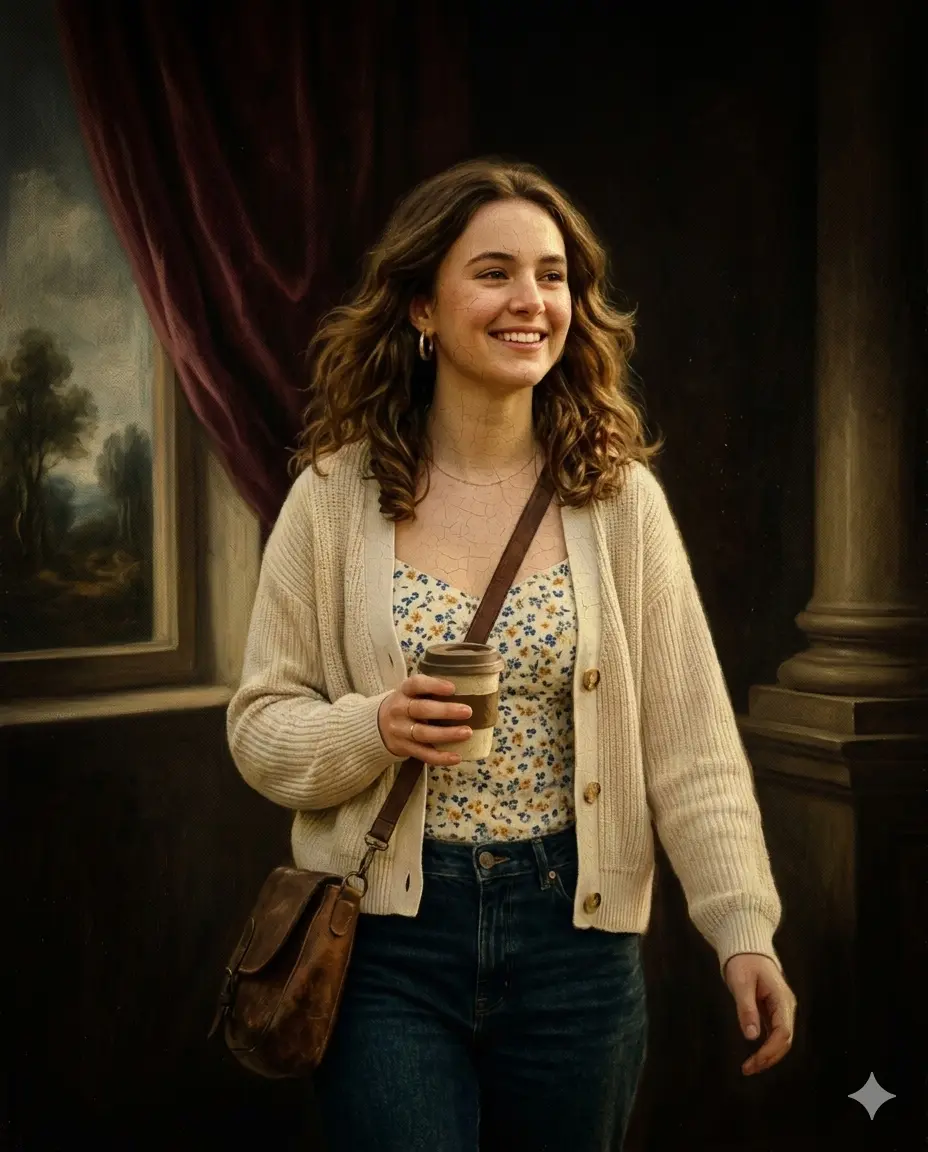
Before & After Comparison
Original Input
AI-Generated Output
Full Prompt
Convert this uploaded full-body or portrait photograph of any person into a Renaissance-era oil painting (circa 15th–17th century), preserving their real facial features, hairstyle, and clothing as faithfully as possible within the classical painting style. Do not change the person's identity — they should look like themselves, but painted by an Old Master such as Leonardo da Vinci, Rembrandt, Titian, or Caravaggio. Default to Rembrandt style (rich contrasts, warm earth tones, psychological depth) unless user specifies otherwise.

Facial features: Preserve exact eye shape, eye color, eyebrow structure, nose shape, lip fullness, skin tone, wrinkles, moles, scars, freckles, dimples, and facial hair (beard, mustache, stubble). Render skin with oil paint texture — visible brushstrokes, smooth blending in highlights, subtle cracking (craquelure) effect. Add soft, warm Caucasian or Mediterranean skin tones if original skin tone allows, but preserve the person's actual ethnic features and skin color accurately.

Hairstyle: Preserve exact length, texture, bangs, parting, braids, curls, or shaved styles. Add Renaissance-era soft volume and subtle oil-painted highlights without changing the cut. If the person has modern dyed hair (blue, pink, green), render it naturally within the oil painting aesthetic — it becomes a unique 'Renaissance meets modern' portrait.

Clothing: Preserve the person's exact clothing from the original photo — t-shirts, hoodies, jackets, jeans, dresses, suits, uniforms, or traditional wear. However, render them with Renaissance painting techniques: fabric folds, velvet or silk texture, rich jewel tones or muted earth tones based on original colors. Add subtle period-appropriate details like a ruffled collar, draped cloak, or fur trim only if the original clothing style allows seamless integration (e.g., a hoodie becomes a velvet tunic; jeans become dark woolen hose). Do not force historical costume unless user requests.

Background and composition: Place the person in a classical Renaissance setting — a dark, atmospheric room with a single window (north light), a draped velvet curtain, a classical column, or a moody landscape visible behind. Use chiaroscuro lighting (strong contrast between light and shadow) with light hitting the person's face and hands while the background fades into darkness. Color palette: deep browns, ochres, burgundy, forest green, gold, and ivory. Add a subtle gold leaf halo or ornate frame border only if user requests religious portrait style (default: no halo).

Painting texture and finish: Visible canvas texture (linen weave), oil paint brushstrokes in the direction of form, slightly aged varnish yellowing (very subtle), and darkened edges (vignette) to mimic centuries of aging. Add minor imperfections — small paint cracks, dust specks embedded in paint, or a slight unevenness in lighting. The final image should look like an authentic 16th-century oil painting that was painted of a modern person. Output: 300 DPI, PNG or JPG, vertical portrait orientation (3:4 or 4:5), no watermarks, no chibi, no digital-art smoothness. Execute now.
Related Tags
#renaissance oil painting
#old master portrait ai
#rembrandt style portrait
#classical painting transformation
#gemini ai image prompt
#baroque portrait ai
#museum style portrait
#realistic oil painting ai
#caravaggio lighting effect
#leonardo da vinci style
#historical portrait transformation
#oil paint texture ai
#chiaroscuro portrait
#vintage canvas painting
#renaissance aesthetic art
#classical european portrait
#photorealistic oil painting
#aged painting effect
#fine art portrait ai
#timeless portrait transformation